August 4, 2026
AI Form Filler vs. Browser Autofill: What's Actually Different?
Filling out online forms is something most people do every day.
You enter your name, email address, phone number, location, education, employment history, and other personal information across countless websites.
For simple forms, traditional browser autofill is usually enough.
But when you encounter a long job application, a complex registration form, or a website with dynamically generated fields, things become more difficult.
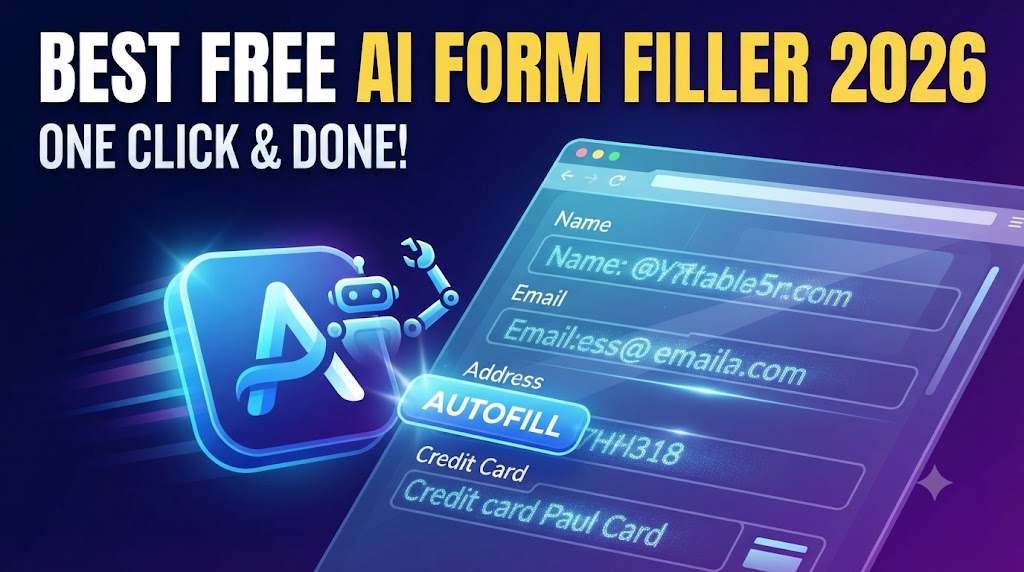
This is where an AI form filler can offer a different approach.
But what’s actually different between AI-powered form filling and a traditional browser autofill extension?
Let’s break it down.
What Is Browser Autofill?
Browser autofill is a built-in feature available in most modern web browsers.
It allows your browser to remember information such as:
- Name
- Email address
- Phone number
- Home address
- Payment details
- Passwords
When you visit a form, the browser tries to recognize the fields and automatically insert your saved information.
For example, if a website has a field labeled Email Address, your browser may detect it and suggest your saved email.
This makes browser autofill very useful for simple and predictable forms.
However, it depends heavily on how the website is structured.
If a site uses unusual field names, custom input components, or dynamic layouts, the browser may not always understand what information belongs where.
What Is an AI Form Filler?
An AI form filler uses artificial intelligence to understand and complete online forms more intelligently.
Instead of relying only on fixed field names, it analyzes the context of each field to determine what information is being requested.
For example, a form might ask:
“Tell us about your previous professional experience.”
A traditional autofill system may not know which saved data fits this question.
An AI form filler can interpret the meaning and match it to your employment history.
This makes AI-powered form filling especially useful for complex or non-standard forms.
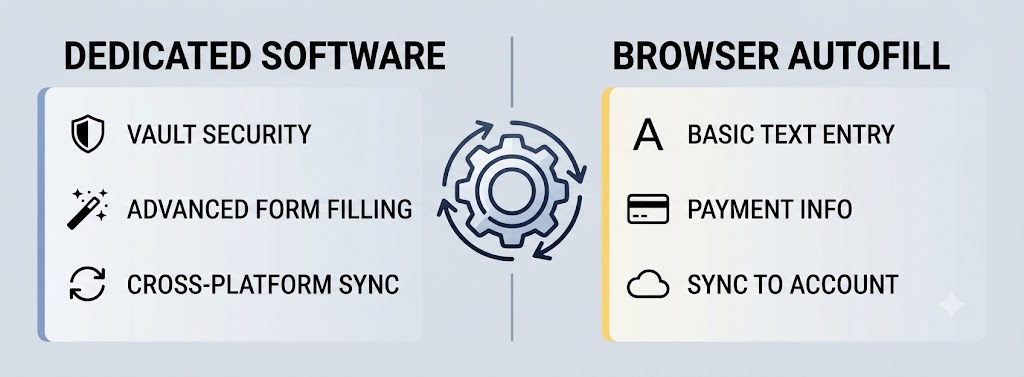
AI Form Filler vs. Browser Autofill Extension
The key difference is how each tool understands a form.
| Feature | Browser Autofill Extension | AI Form Filler |
| Simple forms | Excellent | Excellent |
| Saved personal data | Yes | Yes |
| Standard fields | Works well | Works well |
| Complex forms | Limited | Strong |
| Dynamic forms | Often struggles | Better handling |
| Context understanding | Minimal | Advanced |
| Custom questions | Limited | Interprets meaning |
| Repetitive applications | Helpful | Highly efficient |
| Intelligence level | Rule-based | AI-driven |
Both tools aim to save time—the difference is in how they interpret form fields.
How Browser Autofill Works
A browser autofill extension relies on recognizable patterns.
For example:
nameemailphoneaddress
When it detects these labels, it matches them with stored data in your browser.
This works well when websites follow standard form conventions.
However, modern websites are often more complex. They may include:
- JavaScript-based interfaces
- Custom input components
- Multi-step forms
- Dynamic or hidden fields
- Non-standard labels
In these cases, traditional autofill may fail to correctly identify what information is needed.
How AI Form Filling Works
An AI form filler takes a more flexible, context-aware approach.
Instead of relying only on field names, it interprets meaning.
For example, if a form asks:
“What was your most recent position?”
An AI system can understand that this relates to your job history and select the appropriate information.
This makes AI form filling especially useful for:
- Job applications
- Long registration forms
- Surveys
- Multi-step workflows
- Dynamic web applications
- Custom or unclear questions
It reduces the need for manual copying and repeated typing.
Why Use AnyForm Autofill AI?
AnyForm Autofill AI is designed to make form filling faster, smarter, and more efficient.
It combines AI-powered understanding with a privacy-focused design to help automate repetitive form completion.
Instead of re-entering the same details across multiple websites, it helps streamline the process—especially when traditional autofill falls short.
Key benefits include:
- Faster form completion
- Smarter field understanding
- Reduced repetitive typing
- Better handling of complex forms
- Privacy-focused, local-first design
Your data stays under your control, helping you maintain privacy while improving productivity.
When Should You Use Browser Autofill?
Browser autofill is ideal for simple, everyday tasks.
Use it when:
- Forms have standard fields
- You’re entering basic contact information
- You need quick address or login filling
- The website is well-structured
- You want fast, no-friction input
For these cases, browser autofill is usually the quickest option.
When Should You Use an AI Form Filler?
An AI form filler becomes more useful when forms are complex or unpredictable.
Use it when dealing with:
- Long job applications
- Multi-step forms
- Dynamic or changing fields
- Custom or unclear questions
- Repetitive online submissions
- Websites where autofill fails
If you often find yourself copying and pasting the same information, AI form filling can significantly reduce effort.
AI Form Filler or Browser Autofill: Which Is Better?
There is no single winner.
- For simple forms → browser autofill is enough
- For complex forms → AI form filler is more powerful
In practice, many users benefit from using both together depending on the situation.
The Bottom Line
An AI form filler and a browser autofill extension solve the same problem in different ways.
Browser autofill relies on structure and predefined fields.
AI form filling focuses on understanding meaning and context.
If your work involves simple forms, browser autofill is usually sufficient.
But if you regularly deal with long, dynamic, or complex applications, an AI solution like AnyForm Autofill AI can make the process significantly faster and easier.
Less repetition. More intelligence. Faster form completion.
Frequently Asked Questions
What is an AI form filler?
An AI form filler uses artificial intelligence to understand form context and automatically complete fields based on meaning, not just labels.
What is a browser autofill extension?
A browser autofill extension stores and inserts saved information into standard web form fields like name, email, and address.
Is AI form filling better than browser autofill?
It depends. Browser autofill is great for simple forms, while AI form fillers are better for complex or dynamic forms.
Can AI form fillers handle dynamic forms?
Yes, they are designed to better interpret and fill dynamic or non-standard form structures.
What is AnyForm Autofill AI?
AnyForm Autofill AI is a privacy-focused AI form filling tool designed to automate repetitive and complex online form completion.
Should I use both tools?
Yes. Browser autofill works best for simple tasks, while AI form fillers are better for complex or repetitive workflows.